

What is Subaccount Management
Each customer you add to your White Label has their own account: a subaccount. Subaccount Management lets you review, from one place, the AI agents your customers have built and the calls they make and receive. You’ll find it at the end of the White Label Platform menu (open it here). It has two tabs: AI Agents and Call History.Tip: Use it to help a customer who asks for support: you can see their agent’s setup and their calls without signing in to their account.
AI Agents
The AI Agents tab lists the agents of all your subaccounts.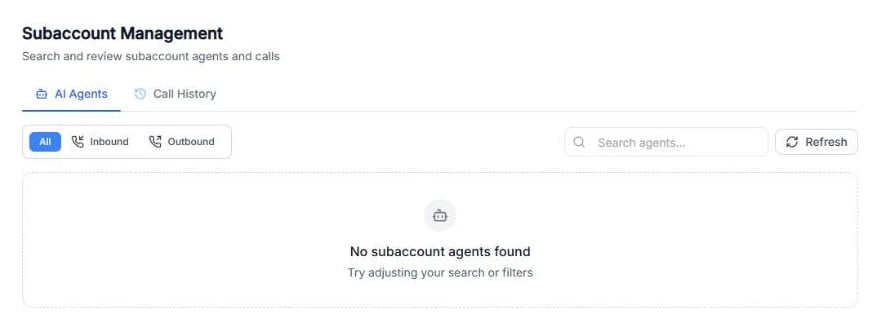
Screenshot: the AI Agents tab. When your customers create agents, they appear here.
- Use All, Inbound and Outbound to filter by type of agent.
- Use Search agents… to find an agent.
- Click Refresh to load the latest changes.
Agent Details
Open an agent to see its Agent Details, in read-only mode:- Agent Metadata: category, template, goal, website, mode, tags and Assigned Number.
- The Greeting Message and the Prompt.
- Features & Settings: for example Call Transfer, Max Call Duration, Record Calls, Voicemail Detection and User Speak First.
- AI Configuration: LLM, Temperature, Voice, Languages and Knowledge Base.
- The agent’s actions, such as Schedule on Google, Transfer Call, Send an Email and Opt-Out Calls, and its Data Extraction, Post Call Webhook and Retry Configuration.
Call minute limit
With Usage cap, you can limit how many call minutes an agent can use. This doesn’t change the customer’s subscription billing: it’s an extra limit on top. The Call minute limit window has four tabs:-
Settings: turn on Limit this agent’s call minutes and choose How should the limit work?:
- Resets every month: the minutes start again each month. Choose When does each month start?.
- Fixed pool until expiry: a set number of minutes until a date. Choose When should this limit end?.
- Add minutes: add more minutes without clearing the usage already counted. If calls were blocked, they work again after you save.
- Reset usage: clear the usage back to zero and set a new allowance, for example when a new period starts.
- History: every change, with the minutes added or removed and the Reason you wrote.
Important: With Fixed pool until expiry, calls also stop when the end date passes. Set a new end date or switch to Resets every month.
Call History
The Call History tab shows the calls of all your subaccounts, with the same filters as the agents’ Call History.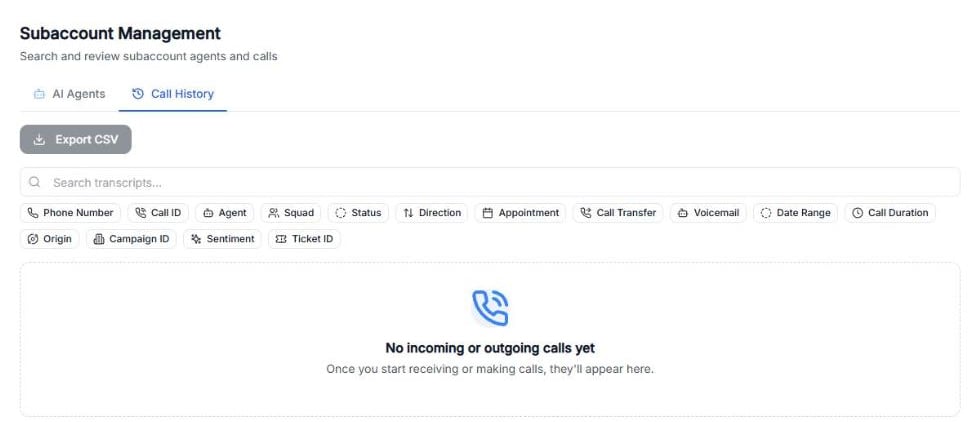
Screenshot: the Call History tab and its filters.
- Search transcripts… finds calls by what was said.
- Filter by Phone Number, Call ID, Agent, Squad, Status, Direction, Appointment, Call Transfer, Voicemail, Date Range, Call Duration, Origin, Campaign ID, Sentiment or Ticket ID.
- Click Export CSV to download the calls you’re viewing.
Troubleshooting
Issue: The list says No subaccount agents found.Cause: Your customers haven’t created agents yet, or the search or filter hides them.
Fix: Clear the search, choose All and click Refresh. Issue: A customer says their agent stopped calling.
Cause: The agent may have reached its call minute limit (Calls blocked) or its end date.
Fix: Open the agent’s Usage cap and use Add minutes, Reset usage or set a new end date.