
Overview
Create powerful automations between Callin.io and your favorite tools with n8n. Callin.io gives you its own n8n workspace at n8n.callin.io, with a ready-made Callin.io node that makes your AI agents start calls.Video: Integrations → Go to n8n → sign in → add the Callin.io node → Start call → set up the credential with your API key from Profile → API Keys.
Steps
Step 1: What is n8n and Why Use It with Callin.io?
n8n (pronounced “en-eight-en”) is a workflow automation tool that connects different apps so they work together seamlessly. With Callin.io, this integration lets you:- Trigger outbound calls from external events: for example, when a new lead arrives in your CRM, when someone fills in a form on your website, or on a schedule. The Callin.io node has one action, Start call, which makes one of your AI agents call a contact.
- Receive call data in n8n: send the details of each finished call to an n8n workflow with the agent’s Data Sync (Post-Call Webhook) (in the agent’s Call Action tab), and from there to Slack, Google Sheets, your CRM, etc.
Step 2: Access the Callin.io Integrations Panel
1
Log in to your Callin.io account.
2
From the left menu, click Integrations → Actions (open it here).
3
Use the Automation filter (or scroll through All).
4
Find the N8N card and click Go to n8n.
Step 3: Sign In to Your n8n Account
1
A new tab opens on n8n.callin.io.
2
Enter your n8n Email and Password and click Sign in.
3
If you don’t have access yet, contact your Callin.io administrator.
Step 4: Get Your Callin.io API Key
The Callin.io node needs an API key to act on your account.1
In Callin.io, open your Profile (app.callin.io/profile) and go to the API Keys tab.
2
If you don’t have a key yet (“No API key found”), click Regenerate Key to create one.
3
Use the copy icon to copy the key.
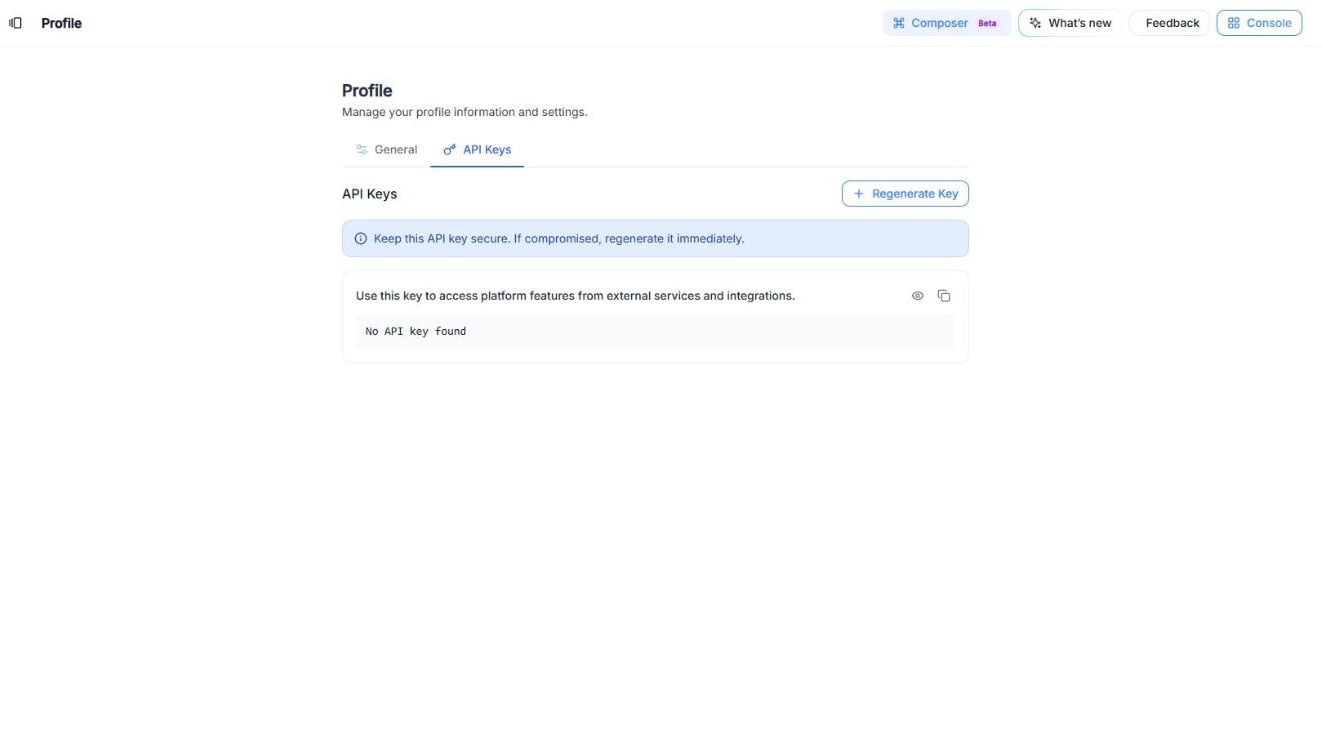
Screenshot: Profile → API Keys, where you create and copy your API key.
Step 5: Build Your First Automation
1
In n8n, click Create workflow.
2
Add a trigger that starts the flow (for example, On a Webhook call to receive a new lead from your website or CRM).
3
Click + to add the next step, search for Callin.io and choose the Start call action.
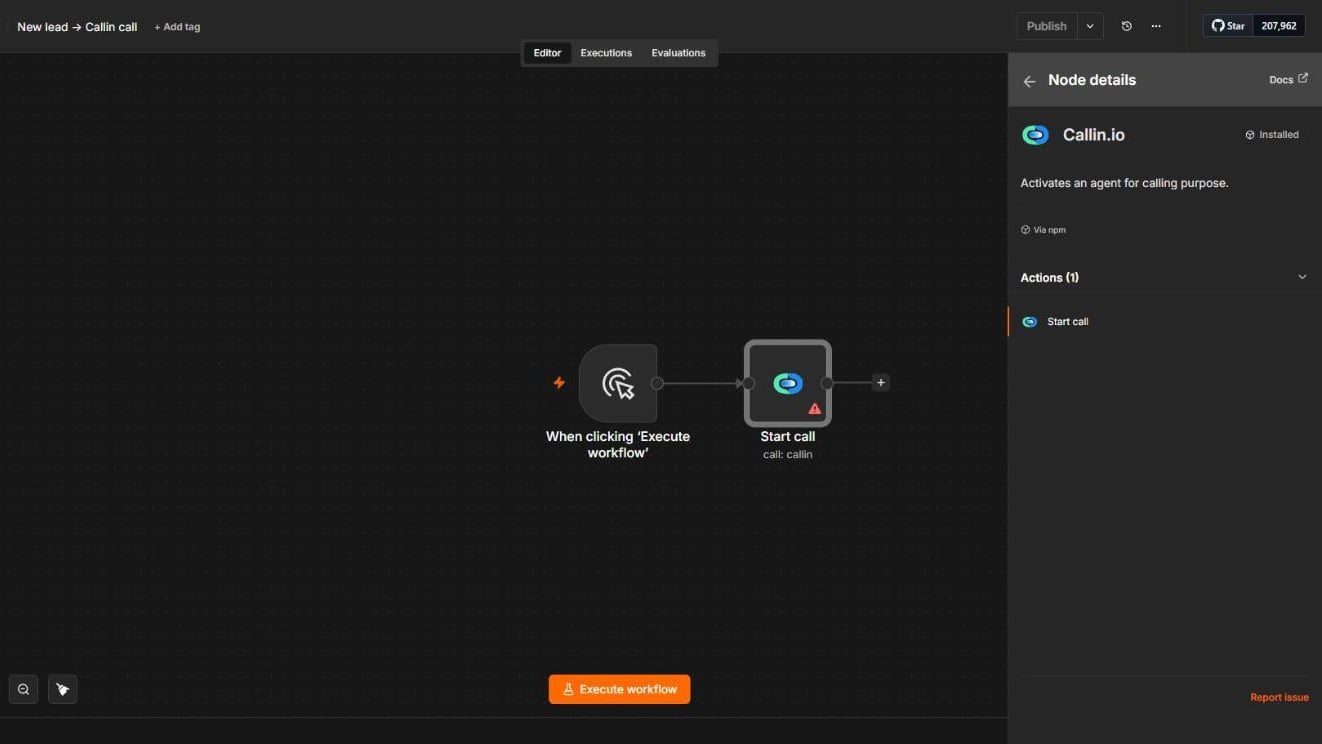
Screenshot: The Callin.io node in n8n, with its Start call action.
- Phone: the number the agent will call.
- Name: the contact’s name.
- Email: the contact’s email.
- Agent Name or ID: the agent that will make the call (the list appears once the credential is set up).
- Webhook Url (optional): a URL to send the call data to.
- Additional Fields: click Add Field to send extra data as Field Name / Field Value pairs.
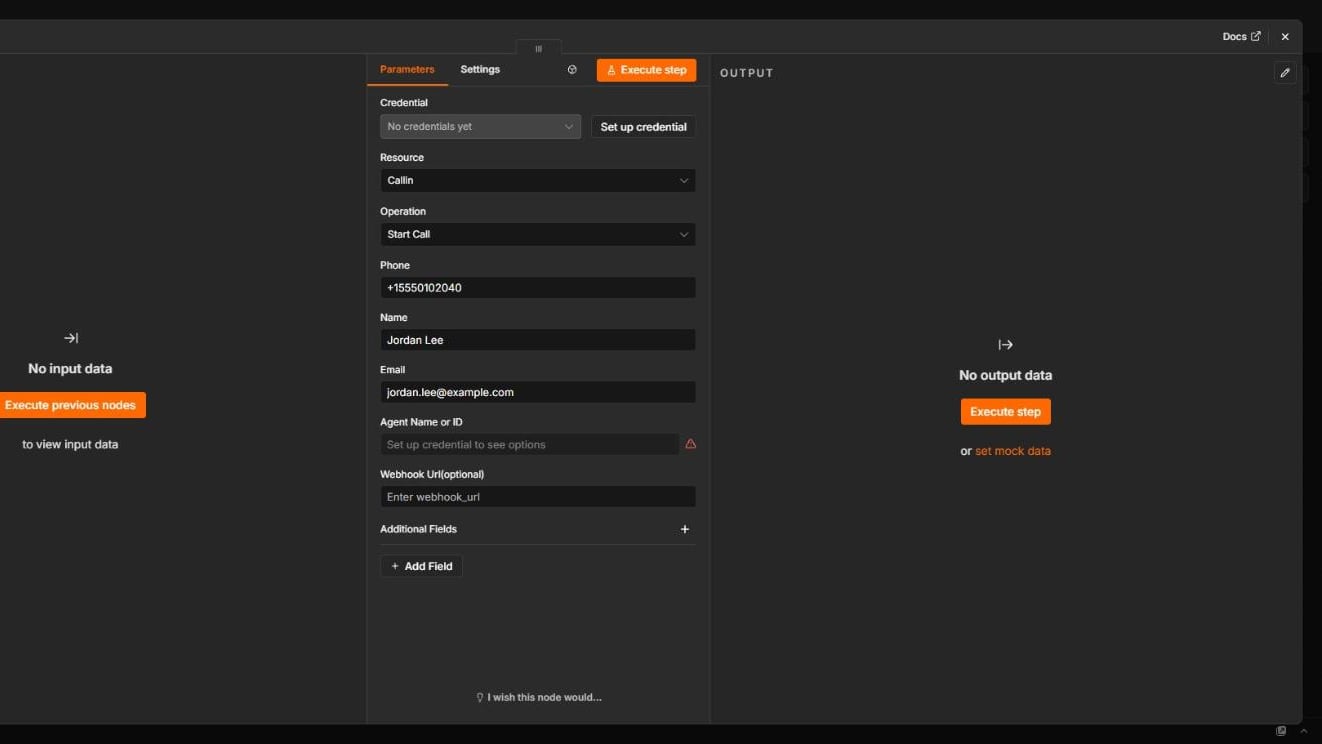
Screenshot: The Start call parameters, filled in with an example contact.
Step 6: Activate and Test
1
Click Execute step (or Execute workflow) to run a test call with a real number you control.
2
When everything works, click Publish so the workflow runs automatically.
Tips & Notes
- Map your data: Use n8n expressions to pass values from the trigger (name, phone, email) into the Start call fields.
- Conditional Logic: Add IF or Switch nodes for more complex automations (for example, only call leads from a certain country).
- Get call results back: Paste the URL of an n8n On a Webhook call trigger into the agent’s Data Sync (Post-Call Webhook) to receive the details of every finished call in n8n.
- Chained Flows: Combine Callin.io with CRMs and messaging tools in one continuous process.
Troubleshooting
Symptom: The Agent Name or ID list is emptyLikely Cause: The credential isn’t set up or the API key is wrong. Set up the credential again with a valid key from Profile → API Keys. Symptom: It stopped working after a key change
Likely Cause: The API key was regenerated. Update the credential in n8n with the new key. Symptom: Flow not running
Likely Cause: Make sure the workflow is published and that its trigger is receiving data. Symptom: The call isn’t made
Likely Cause: Check that Phone contains a valid number in international format (for example,
+393339876543) and that the agent has a phone number assigned.
Final Note
Connecting Callin.io with n8n unlocks a world of smart automation.Start small—like calling every new lead from your website form—and soon you’ll see how n8n turns Callin.io into an intelligent automation hub.